How Do You Turn Facebook Ad Leads Into Customers?

How do you turn Facebook ad leads into customers?
Turn Facebook ad leads into customers by matching the offer to your services, giving every inquiry one owner, replying fast and following through on the estimate. Across 492 conversations on six BaaDigi client accounts (Jun–Sep 2026), the median logged first reply was 3.2 minutes, but 4 in 10 inquiries never got a logged reply at all. Automation can acknowledge and route; your team still owns the answers and the sale.
What should you build first?
Map the path from submitted form to completed work before buying more traffic. Give every stage an owner and a next action. Test the form, notification, reply, handoff, and reporting with an internal sample inquiry. A working connection between tools is useful; it does not establish a conversion rate or guarantee more customers.
Can an AI agent actually use your website?
AI agents are starting to visit sites on a customer's behalf — comparing companies and requesting quotes. We run the same agentic browsing checks Google built into Chrome and show you what an agent hits when it lands on your site. No email to run it.
Last updated: September 2026. By Ryan Goering, founder and CEO of BaaDigi, a contractor marketing agency.
What should the ad and form promise?
Advertise a service you can deliver in an area you cover. Use real project photos with permission and explain the next step. Publish a discount, free inspection, or response window only when it is a real offer your business can fulfill.
Ask for enough information to route the inquiry: contact details, location, service, and the most important qualification question. Test whether a shorter form improves useful inquiries or merely increases submissions. Do not assume an on-platform form always wins on volume or a website form always wins on quality.
Who owns the lead after it arrives?
| Stage | Required record | Owner's next action |
|---|---|---|
| Received | Source, time, contact details, and requested service | Check delivery and assign someone |
| Contact attempted | Channel, attempt, and response status | Follow the agreed contact process |
| Qualified | Service area, scope, timing, and customer fit | Explain the appropriate next step |
| Appointment or estimate | Owner, date, scope, and any fee | Complete the commitment and record the result |
| Decision pending | Open question and agreed follow-up | Resolve the question without inventing urgency |
| Won, lost, or deferred | Actual outcome and reason | Update the record and stop unsuitable follow-up |
An automatic acknowledgment is not a completed sales conversation. Keep unanswered requests visible. A sent email or successful integration event should not move a lead into “contacted” if nobody has actually reached the customer.
Our own tracker shows how wide that gap is. Across 492 inbound conversations on six BaaDigi client accounts (Jun–Sep 2026), 289 got a logged reply; the median first reply was 3.2 minutes, and 64.0% of answered conversations got one within 5 minutes. Conversations that started on Facebook were answered 46 times out of 51 with a median of 0.3 minutes, almost entirely auto-responders. Email inquiries waited a median of about 5 days. Fast acknowledgment is easy; the human conversation after it is where leads stall. The speed-to-lead guide has the full channel breakdown.
Is your own website costing you leads?
Free scan — speed, mobile, local visibility, and lead capture. Results in about 30 seconds.
Where can automation help without overpromising?
Use automation for clear, bounded tasks: confirming receipt, notifying the assigned person, creating a reminder, or sharing approved information. If you use AI replies, provide current service scope and pricing rules and define the questions it must hand to a person.
- Escalate uncertain pricing, technical diagnosis, complaints, and unusual requests.
- Show staff the conversation history before handoff.
- Test what happens outside business hours and when the assigned person is unavailable.
- Stop messages when someone opts out, says the project is no longer needed, or is already receiving personal follow-up.
- Describe automation honestly instead of designing messages to conceal who or what is replying.
Our AI lead-response guide covers the division between software tasks and staff responsibility. The contractor CRM guide helps compare recordkeeping options; no particular platform is required for this workflow.
What should follow-up contain?
Send information that helps the customer make the next decision. After an inquiry, confirm what they requested. Before a visit, explain preparation and any fee. After an estimate, answer unresolved scope, timing, or payment questions. If a project is postponed, agree on whether and when to check back.
Do not impose a universal seven-email sequence or fixed texting cadence on every service. Respect the person's stated preferences and the applicable rules for the channel. For U.S. commercial email, the FTC's CAN-SPAM guidance covers requirements including truthful messaging and opt-out handling. Email guidance does not by itself authorize automated texts or calls.
Timing matters too. Across 486 website form submissions on 28 BaaDigi client sites (Apr–Sep 2026), 66.9% arrived between 8am and 5pm Pacific and 17.7% came in on a weekend, with Tuesday the busiest day. Decide who owns the weekend and evening inquiries before the campaign goes live, not after the first one sits unanswered until Monday.
How do you find the step losing useful inquiries?
Review one group of leads from receipt through outcome. Keep wrong-area requests, duplicates, unanswered leads, postponed projects, and lost estimates separate. A targeting problem needs a different fix from an office that cannot answer.
Calculate full acquisition cost using actual media, management, tools, and follow-up expenses. Divide by acquired customers from that group, with open estimates reported separately. If no customers have been acquired, show the spend and zero customers rather than a zero cost per customer.
The contractor budget worksheet helps define an affordable test. For campaign-specific problems, review the Facebook ad troubleshooting checklist.
What should you pay for setup and management?
Compare the written scope: advertising, creative, forms, integrations, messages, staff training, reporting, and support. Include software usage charges and media separately. No universal setup price or implementation timetable is established here.
BaaDigi's Predictability Engine is listed at $1,397 per month for its published scope, which includes Google and Meta retargeting work. That is a package reference, not a quote for every automation described in this guide. Confirm setup charges, advertising budget, and any additional work in your proposal.
Free · No signup
Test your new AI receptionist — free
Call the number below and talk to it live. It answers 24/7, qualifies the job, and books the estimate — the same AI that can answer your phones.
Free website audit — see what's costing you leads
No email required. Takes 2 minutes. Completely free.
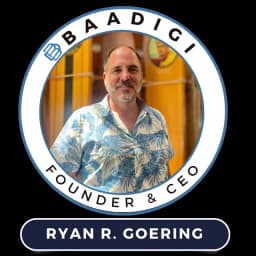
Ryan Goering
CEO & Founder, BaaDigi
U.S. military veteran and digital marketing strategist who built BaaDigi to help contractors generate predictable leads and revenue. 15+ years in SEO, PPC, and AI-powered marketing automation.
Frequently Asked Questions
Does instant AI follow-up guarantee more customers?▼
No. An immediate acknowledgment confirms receipt; the customer still decides on fit, price, availability and your answers. In our tracker, Facebook-originated conversations got a first reply in a median of 0.3 minutes because auto-responders fired, yet 4 in 10 of all 492 inbound conversations never got a logged human reply afterward. Assign a person to exceptions and open conversations, and measure outcomes in your own records rather than trusting a response-time multiplier.
How many fields should a contractor lead form have?▼
Enough to route and qualify the request: contact details, service location and the work requested. Add a question only when its answer changes the next action.
Can the same follow-up process serve Google and Facebook leads?▼
The ownership and record-keeping framework can serve both, but keep the sources identifiable and adapt the reply to what the person asked for. An estimate form and a phone call need different next steps. Compare their outcomes separately instead of assuming a channel label proves intent, readiness or a better close rate.
What should happen when a lead does not answer?▼
Follow the contact process and preferences appropriate to that inquiry, then record each attempt and the next action. A sent message is not a conversation. Stop unwanted outreach when asked, keep deferred projects separate from lost ones, and apply the rules for each channel; permission for email does not cover texts or calls.
What is the minimum useful lead report?▼
Source, requested service, contact attempts, qualification, appointment, estimate, pending decision, actual outcome and relevant costs, with an owner on every open action. Keep duplicates and unqualified paid inquiries visible when you reconcile spend. Add the reply timing: across 492 conversations on six BaaDigi client accounts the median logged first reply was 3.2 minutes, but the 4 in 10 with no logged reply are the rows that matter. A report that only shows total submissions cannot tell you which step to repair; one that shows the unanswered rows can. Read it weekly with the person who owns follow-up, and change one thing at a time so you know what fixed it.
Popular Contractor Marketing Guides
PPC for Contractors by City
We serve contractors nationwide — based in Orange County, CA
Explore More Topics
Ready to Get More Leads?
Get a free marketing audit for your contracting business. We'll show you exactly where you're losing leads.
Get Your Free AuditRelated Articles
Bark vs Thumbtack for Contractors
Both sell shared leads. Bark hides the cost in credits, Thumbtack charges per contact. The credit system is the thing to understand before you buy.
Locksmith Lead Generation
Locksmith search is uniquely hostile - lockout queries are dominated by lead brokers and scam listings. Winning it is mostly a verification and trust problem.
How Do You Log Into Houzz Pro?
How do you log into Houzz Pro? Use its official Sign In. For contractors needing account access. Recovery and billing stay with Houzz.